
Digital Product Store Development: Features, Sales Models, and Cost
The digital product market continues to grow rapidly. More and more companies are selling not physical goods, but content, software, access to services, subscriptions, eBooks, templates, and licenses. The main advantage of this model is obvious: digital products do not need to be stored, packaged, or delivered, and sales can be scaled with almost no additional production costs for each new copy. However, creating a digital product store is not simply about adding a few files and a “Buy” button to a website. Users need to be able to go through the entire journey from choosing a product to completing payment and receiving access, while the business needs to automatically handle payments, subscriptions, licenses, access rights, content protection, and analytics.
Developing a digital product store means creating a full-fledged technology platform that takes the specifics of digital distribution into account. The architecture chosen at the beginning determines how easily a company can expand its catalog, introduce new monetization models, connect third-party services, and handle a growing audience.
What Business Models Can a Modern Digital Product Store Support?
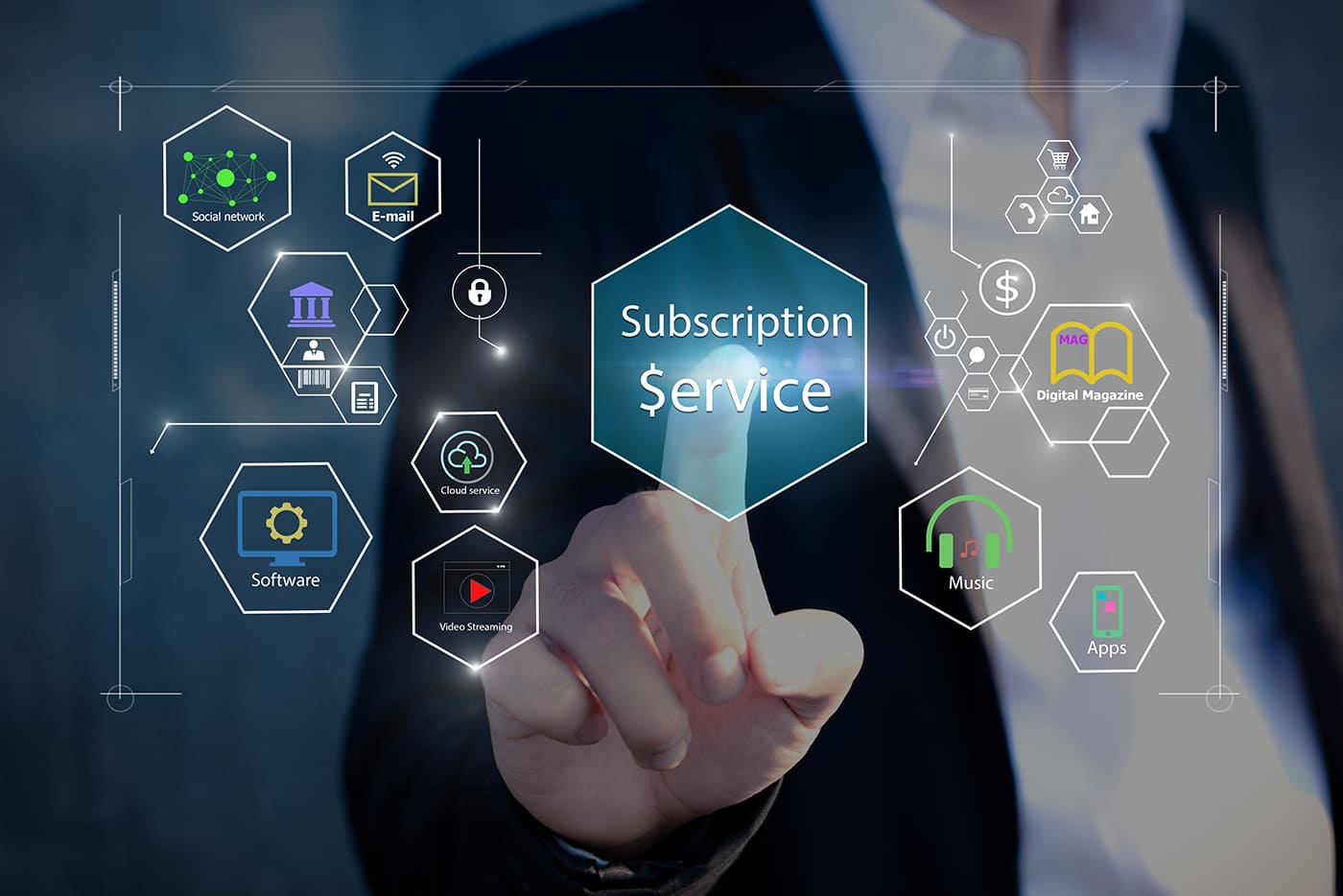
Digital products give businesses significantly more monetization options than traditional online stores. Products can be sold individually, offered through subscriptions, provided as access to a service or content library, or distributed through licensing models. The right approach depends on the product itself and how the company wants to generate revenue in the long term.
The most common options include one-time sales of eBooks, courses, templates, or other files, license sales for software and plugins, subscriptions to content or services, freemium models where the basic version is free, SaaS with monthly or annual plans, and corporate accounts for teams. In practice, these models are often combined. For example, a customer might purchase an individual course once or subscribe to gain access to the entire course library. This is why the store's architecture should ideally be designed with future growth in mind, since the business model may evolve after launch.
What Digital Products Can Be Sold Through Your Own Website?
A dedicated website can be used to sell almost any product that does not require physical delivery. These can include online courses, eBooks, PDF documents, software, license keys, templates, photographs, videos, music, AI prompts, databases, and other digital resources. Different products, however, require different technical approaches. An eBook may only need secure file delivery after payment, while a SaaS product will require authentication, subscription plans, billing, and access management.
The most common categories include online courses, eBooks and professional documentation, software and plugins, license keys, mobile applications and premium features, design templates, photo, video and audio content, AI prompts, digital tools, analytics materials, and other B2B products. It is important to think beyond the initial purchase and consider what happens afterward: can the customer download the file again, where can they find purchased products, how does access change when a subscription expires, and what happens if the catalog grows significantly?
Digital Product Store Functionality
A full-featured digital store should automate most of the processes that would otherwise require manual work. After payment, the system should automatically determine the user's access rights, deliver the appropriate file or content, update the subscription status, and record the transaction. Administrators, meanwhile, need a convenient interface for managing products, customers, payments, and the platform as a whole.
Core functionality usually includes:
- Product catalog — categories, descriptions, prices, plans, and additional materials.
- Customer account — purchase history, purchased products, subscriptions, and personal information.
- Automatic content delivery — file downloads or access to content immediately after successful payment.
- Licenses and activation keys — generation, validation, and license usage control.
- Subscriptions and pricing plans — different access levels for individual customers and businesses.
- Recurring payments — automatic billing for active subscriptions.
- Promo codes and discounts — special offers, discounts, and marketing campaigns.
- Reviews and ratings — an additional trust factor before making a purchase.
- Analytics — sales, conversion rates, product popularity, and user behavior.
- Admin panel — centralized management of the main store processes.
The store can also be integrated with CRM, ERP, LMS, email services, analytics platforms, and other systems. This is particularly important for companies that already have an established business infrastructure. A well-designed architecture makes it possible to add these integrations gradually without rebuilding the entire platform every time the business introduces a new service.
How Does a Subscription System Work?
Subscriptions turn a one-time transaction into an ongoing relationship with the customer, but they also introduce considerably more logic into the store. The system needs to know which plan the user has selected, when the next payment is due, what content they can access, what should happen after a failed payment, and how their access should change when a subscription is canceled. This is why a subscription-based store requires a more carefully designed architecture than a simple website selling downloadable files.
Typically, users are offered several plans, such as Basic, Professional, and Corporate. These can include a trial period, automatic billing, plan changes, subscription suspension or cancellation, payment history, and automated notifications. APIs and Webhooks are used to synchronize the store with the payment provider and notify the platform whether a payment was successful, whether access should be extended, or whether it needs to be restricted. If this logic is poorly designed, the business can face incorrect charges, inaccurate subscription statuses, and access-related issues.
Integrations Worth Considering
A digital store rarely operates independently from the rest of a company's systems. A CRM can store customer and purchase information, an ERP can handle financial and internal data, an LMS can manage educational content, while analytics and marketing platforms can collect information about user behavior. Before development begins, it is therefore worth identifying which systems the business already uses and which processes need to be automated.
Common integrations include CRM, ERP, payment systems, accounting services, email and SMS platforms, LMS, analytics tools, and third-party APIs. Payment integration is particularly important. It should not only process payments but also send the store the current transaction status, handle recurring billing, and report failed transactions through APIs or Webhooks. This allows access to be granted automatically after a purchase and subscription statuses to be updated without manual intervention.
How to Protect Digital Products from Unauthorized Distribution
Digital content comes with one obvious challenge: after a purchase, it is much easier to copy than a physical product. Completely eliminating piracy is impossible, but the right technical architecture can make unauthorized use significantly more difficult and give the business better control over access. Common approaches include temporary download links, tokens, encryption, download limits, account-based access, personalized watermarks, DRM, and license management systems.
Protection should not focus only on the files themselves. Authentication, access permissions, APIs, data transmission, and user activity logs are equally important. At the same time, excessive restrictions can hurt the customer experience. If users have to go through complicated verification every time they want to access something they have already purchased, frustration can quickly outweigh the security benefits. The goal should therefore be to find the right balance between protection and convenience.
Custom Development or a Ready-Made CMS?
A ready-made CMS can be a good choice for a simple store that needs to launch quickly. If a company sells a few eBooks, templates, or other files, a standard catalog, checkout, and payment integration may be enough to test demand for the product. Problems tend to appear when the business requires more complex functionality: multiple access levels, custom subscription logic, license management, corporate accounts, or integration with internal systems.
Custom development provides more freedom because the architecture can be designed around the specific business model. This does not mean everything has to be built from scratch. Modern development can combine proven frameworks, payment services, cloud infrastructure, and ready-made components wherever they make sense. The main difference is the level of control the business has over the platform.
| Criteria | Ready-Made CMS | Custom Development |
|---|---|---|
| Flexibility | Depends on the CMS and plugins | Fully adapted to the business |
| Scalability | May require additional customization | Architecture designed for future growth |
| Integrations | Mostly through ready-made modules | Custom APIs and integration solutions |
| Subscriptions | Often handled through additional modules | Built around specific business logic |
| Security | Depends on the platform and components | Full control over the architecture |
| Custom functionality | Limited by platform capabilities | Practically unlimited |
| Initial cost | Usually lower | Higher |
| Long-term control | Limited | High |
The decision should therefore not be based solely on the initial price. A small store with simple digital products can work perfectly well with a CMS, while a SaaS platform, educational service, or large digital content library will often benefit from a custom architecture. In the latter case, a larger initial investment may ultimately be more cost-effective than continuously modifying a ready-made system as the business grows.
How Much Does It Cost to Develop a Digital Product Store?
There is no universal price for developing this type of store. The budget depends on the number of features, design complexity, integrations, payment logic, security requirements, and expected future traffic. A simple store selling several files will naturally cost much less than a platform with subscriptions, licenses, corporate accounts, complex access rules, and numerous third-party integrations.
The biggest factors affecting the budget are functionality, UI/UX design, payment and billing systems, CRM/ERP/LMS integrations, digital content protection, customer accounts, and scalability requirements. It is also important to account for ongoing maintenance and development rather than looking only at the initial launch cost. If the system's foundation is poorly designed, adding new plans, product categories, or payment methods later can become considerably more expensive. That is why the best approach is to analyze business processes first, define the required functionality, and only then prepare a realistic budget.
How to Choose a Company to Develop a Digital Product Store
A technology partner should be evaluated on more than just price. A digital product store is a complete sales platform that requires an understanding of eCommerce, payments, authentication, integrations, security, and scalability. If the technical foundation is poorly designed, problems may not appear until the store starts growing.
When choosing a development team, it is worth checking eCommerce experience, relevant case studies, technical expertise, experience with APIs and payment systems, post-launch support, team structure, and transparency in project estimation. For more complex platforms, a discovery phase can be particularly useful. It allows the team to analyze the business model, identify required integrations, design the architecture, evaluate risks, and determine which functionality should be implemented first. A strong development partner in this situation is not simply an executor of technical tasks but a technology partner who helps balance budget, timelines, functionality, and future growth.
Conclusion
A digital product store is no longer just a page with downloadable files and a payment button. A successful platform should handle the entire customer journey: helping users find the right product, processing payments, automatically providing access, managing subscriptions, protecting content, and collecting sales data. That is why the business model, product types, integrations, and potential growth scenarios should all be considered before development begins.
For a small catalog of simple products, a ready-made CMS may be more than enough. If the plans include SaaS, subscriptions, licenses, corporate accounts, complex integrations, or a large content library, custom development provides considerably more control. Either way, the key is not to build everything possible from day one, but to create a solid foundation that can evolve alongside the business.